
School Photos, Student ID, ASB Card, & Yearbook Info
School ID/ASB Card & Yearbook
Yearbook Pre-Sales
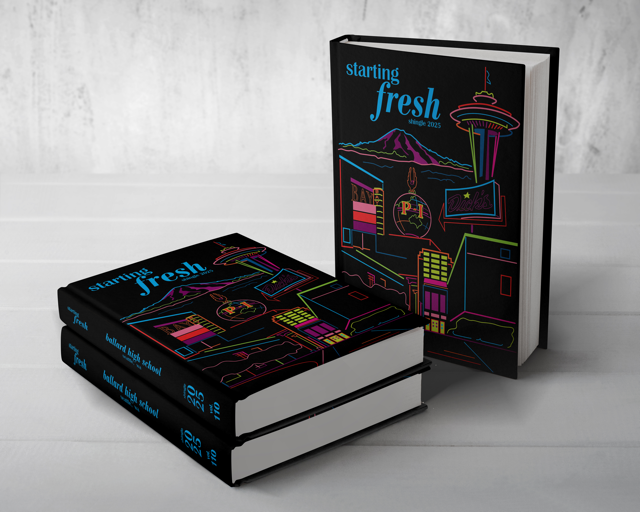
The Shingle Yearbook Sales Window
- 9/2/26 – 9/22/26: CLOSED
- First Yearbook Pre-Sale Closed: $65.00. Place order by 10 p.m
- 11.22/26 – 12/12/26: 2nd Yearbook Pre-Sales Window
- Yearbook Pre-Sale: $70.00. Place order by 10 p.m.
- 2/11/27 – 3/3/27: 3rd Yearbook Pre-Sale Window
- Yearbook Pre-Sale: $75.00. Place order by 10 p.m.
Note! Don’t miss out! After the last Pre-Sale Window, students can no longer pre-order a yearbook, and can only then buy a book ($80.00) after June distribution, if any books remain. Parents! Pre-ordering helps the students know how many books to order and not run out at the end of the school year.
Payment Options
- Pay Online: via Parent/Guardians Source/SchoolPay
- Yearbooks will also be sold in the main/fiscal office before school or during lunch and after school with cash, check or Debit/Credit Card to avoid the transaction fee.
- Cash, Check (Ballard High School), Debit, Credit Card
Yearbook sales dates are established in accordance with state tax policies.
SchoolPay Tips to See if You Pre-Purchased a Yearbook!
The SchoolPay purchase history below works if you purchased a yearbook using the SchoolPay option from the Source during the original sales windows.
- Log onto the Parent/GuardianSource/SchoolPay
- Verify that you are viewing the correct student account.
- If the Yearbook option is not displayed in SchoolPay, check your payment history to see if it has already been purchased:
- Open the History menu in the upper right.
- Select Items Purchased. SchoolPay will provide a search menu.
- Select the date range and student, and click the Search button.
Picture Day | School ID/ASB Cards
All students will be photographed on Picture Days, no purchase required. School pictures are used for the BHS Shingle Yearbook and Student ID cards.
Picture Retakes
- If you’d like to retake your picture, Retakes will be on October 8.
Rowland Studio will be on campus for make up school pictures. Students will receive an info sheet with photo ordering instructions when they get their picture taken. Student ID cards will be distributed at school a few weeks after picture day.
Note for Seniors: This picture is for the Student ID Card. Seniors may submit their own Senior Portrait for the School Yearbook or select a photo from the photos taken on a School Picture Day.
ASB Cards | Student ID
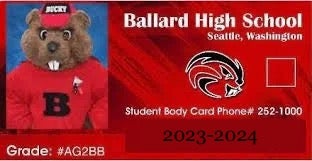
All students who tryout/participate in a Ballard athletic team or are in the BPA Marching Band are required to pay a $45 Activity Card Fee. All BHS students can purchase a ASB Card. Parents/guardians may pay via SchoolPay on the Source Students should talk to their Counselor if interested in a scholarship.
IMPORTANT! Your Student ID card becomes an ASB Activity Card when you have paid the ASB Fee and either get a sticker or a stamp on your Student ID Card.
Students ASB Activity Cards (Fee) in the Main Office
Activity Cards are the Student ID Cards with either a ABS Sticker or printed stamp on the Student ID. ASB Card fees can be paid daily during break, lunch, and after school in the Main Office. Please bring exact cash or a check payable to Ballard HS.
Pay the ASB Fee for Activity Card on School/Pay on the Source
- Logon to the Parent Source/SchoolPay
- Verify that you are on the correct student account
- If the ASB Fee option is not displayed on SchoolPay, check the payment history to see if the ASB Fee has already been paid.
- Open the History menu in the upper right portion of your screen
- Select Items Purchased. SchoolPay will provide a search menu
- Select the date range and student, and click the Search button
Ordering Rowland Student ID Photos
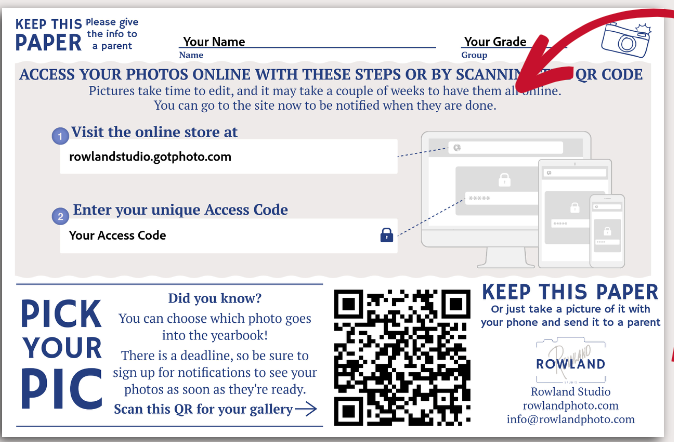
All photos can be viewed and ordered online AFTER picture day. *Pictures take time to edit, and it may take a couple of weeks to have them all online. All orders will be mailed directly home. Students receive a paper when they get their photo taken with information to order and select a favorite picture for the yearbook! Parents watch for this completed photo form from your student after they have their school photo taken.
If you can’t locate this paper, go to RowlandStudio.GotPhoto.com and use the School Picture School Picture Code Lookup available on that page.
Pictures Will Be Used For
- Student ID/ASB Card: Distributed at school after picture day.
- BHS Yearbook: Smile and look your best!
- Seniors may have a different photo or a Senior Portrait for the yearbook.
- District Records: Must adhere to standards. No hats, sunglasses, etc.
- Your Personal Use: Share with Friends and Family!
Contact Rowland Studio with any questions: info@rowlandphoto.com or call: 206-522-7171.
Senior Portraits For Yearbook Due Nov. 12
Class of 2027 Senior Yearbook Photos (if interested) | Senior Portraits are due Nov. 12. If you do not submit a senior photo to the yearbook staff, they will use your Student ID photo instead. Stay tuned for the Senior Portrait due date and submission information. Note: This does not include a Yearbook.
Senior Grad Ads Due Nov. 30
Grad Ads (if interested) are an opportunity for families to submit photos and a personal message for graduating seniors. They include photos of your choice (school appropriate) and a personalized message of your choice for your graduating student, friend, etc. Note: This does not include a Yearbook.
As of October 24, 2026