
Senior Portrait and Grad Ads & Yearbook Info & Instructions
Senior Portraits & Grad Ads 26-27
Senior Portraits (if interested) Due Nov. 12
Ballard Seniors have the option to submit their own photo for the yearbook. If a different photo is not submitted, the School ID photo taken at the beginning of the school year will be used.
Submit Senior Photo Online with Walsworth |
General Photo Requirements
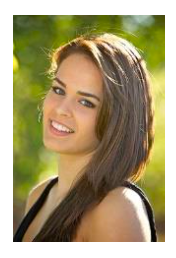
Your Senior Portrait needs to meet the requirements below.
- No props, other people, pets, etc. Only fully clothed student in the picture.
- Photos should be a vertical (portrait), head and shoulders, not full body.
- Images need to be high-quality jpg files.
- Dimensions should not be lower than 900 x 600 pixels at 300 PPI
Yearbook photos are legal photos (can be used to get a driver’s license, passport, etc.) so it must show a close up of your face/head/shoulder!
Instructions: Submit Portrait on Website or App
Submitting Senior Portrait on Website
- Visit Yearbook Snap and search for Ballard High School
- Enter the code: gobeavs (case sensitive) & select your images
- Enter Photo Topic as ‘Senior Photos’
- Or check Senior Photos box, and Click Save
- Rename the jpg/image (photo file) to student’s name
- Enter the name and grade of student in photo notes
- Enter your information, then submit
- Do not close out of Snap until image is fully uploaded
OR
Submitting Senior Portrait on the App
- Download Yearbook SNAP! Google Play / Apple Store
- Search for Ballard High School & Enter: gobeavs (case sensitive)
- Select topic ‘Senior Portraits’
- Rename the jpg/image (photo file) to student’s name
- Upload Image, Click on the Image
- Enter the name and grade of student
- Enter your info and submit
- Do not close out of Snap App until image is fully uploaded
- You’ll receive a confirmation email once complete
Senior Portrait Upload Questions?
If submitted properly, you will receive a confirmation email. Contact us at ballardshingle26@gmail.com with questions on ads. For any technical questions related to your submissions contact the School Store at 1-877-723-6344 or help@walsworth.com
Senior Grad Ad (if interested) Due Nov. 30

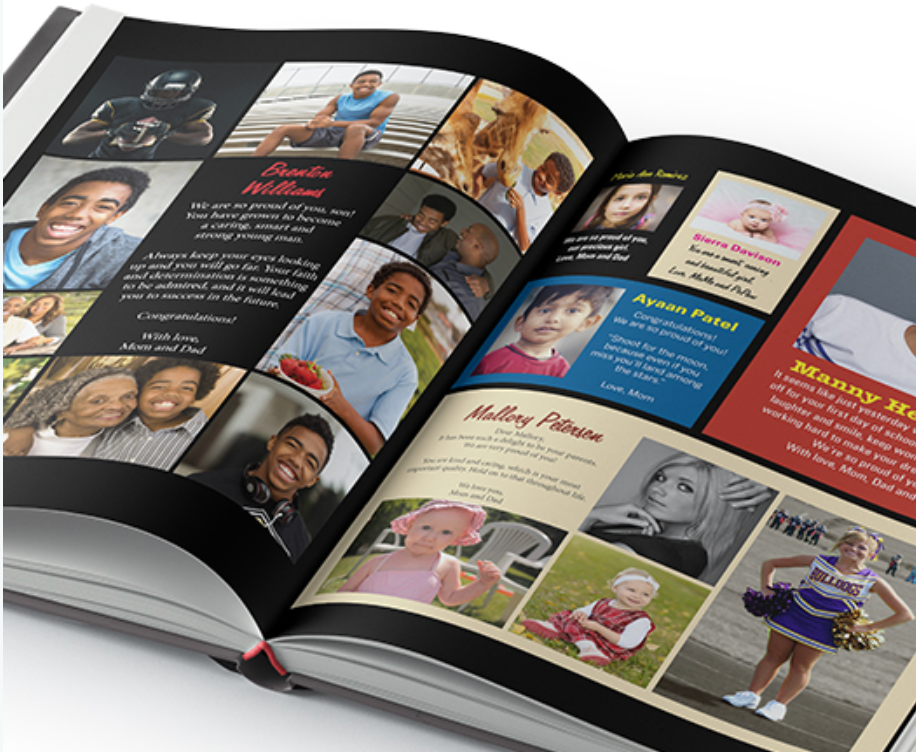
Grad Ads are an opportunity for families to submit photos and a personal message for graduating seniors to be printed in the Shingle Ballard HS Yearbook. The Ads include photos of your choice and a personalized message of your choice for your graduating student. Order a beautiful Grad Ad to congratulate your student’s accomplishments!
If you have any more problems with the website or anything else, don’t hesitate to send us a message. Thanks, The Ballard Shingle Team; ballardshingle26@gmail.com
Instructions: Submit Your Grad Ad
Purchase a Personal Ad (Grad Ad) on Yearbook Forever
- Visit Yearbook Forever and search for Ballard High School
- Select “Get Started” on the Create a Personal Ad section
- Enter the information for your student
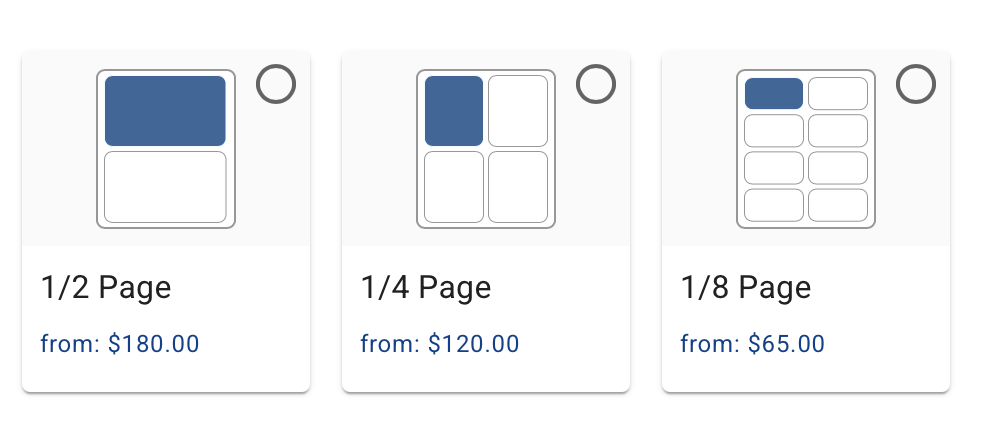
- Choose your Grad Ad size and cost (half, quarter and eighth page)
- Enter the text for your Grad Ad & Upload your photo, choose ‘certify ads and photos’
- Checkout and Pay for your Grad Ad and then submit
- The school will design your ad for you
Grad Ad Upload Questions?
If submitted properly, you will receive a confirmation email. Contact us at ballardshingle26@gmail.com with questions on ads. For any technical questions related to your submissions contact the School Store at 877-723-6344 or help@walsworth.com
Ballard HS Yearbook | The Shingle
Yearbook sales dates are established in accordance with state tax policies. No yearbook sales between Spring Break (April) and Beaver Day (June) TBD. Yearbooks purchased during the pre-sale will be distributed at a Senior Dinner, and Beaver Day. Yearbook sales resume following Beaver Day and continue until books are sold out.
The Shingle Yearbook Sales Window
- 9/2/26 – 9/22/26: CLOSED
- First Yearbook Pre-Sale Closed: $65.00. Place order by 10 p.m
- 11.22/26 – 12/12/26:2nd Yearbook Pre-Sales Window
- Yearbook Pre-Sale: $70.00. Place order by 10 p.m.
- 2/11/27 – 3/3/27: 3rd Yearbook Pre-Sale Window
- Yearbook Pre-Sale: $75.00. Place order by 10 p.m.
Note! Don’t miss out! After the last Pre-Sale Window, students can no longer pre-order a yearbook, and can only then buy a book ($80.00) after June distribution, if any books remain. Parents! Pre-ordering helps the students know how many books to order and not run out at the end of the school year.
Payment Options
- Pay Online: via Parent/Guardians Source/SchoolPay
- Yearbooks will also be sold in the main/fiscal office before school or during lunch and after school with cash, check or Debit/Credit Card to avoid the transaction fee.
- Cash, Check (Ballard High School), Debit, Credit Card
Yearbook sales dates are established in accordance with state tax policies.
Ballard HS Yearbook Contact: ballardshingle26@gmail.com as well as BHS Yearbook Advisor: mtsmith@seattleschools.org
SchoolPay Tips to See if You Pre-Purchased a Yearbook!
The SchoolPay purchase history below works if you purchased a yearbook using the SchoolPay option from the Source during the original sales windows.
- Log onto the Parent/GuardianSource/SchoolPay
- Verify that you are viewing the correct student account.
- If the Yearbook option is not displayed in SchoolPay, check your payment history to see if it has already been purchased:
- Open the History menu in the upper right.
- Select Items Purchased. SchoolPay will provide a search menu.
- Select the date range and student, and click the Search button.
As of November 4, 2026